Media Manager Browse Button Disabled In Joomla

Problem : No matter how many time you click on the media manager’s browse button nothing happens. It used to work few days back but not any more.

It is as if the the media manager buttons has been disabled.
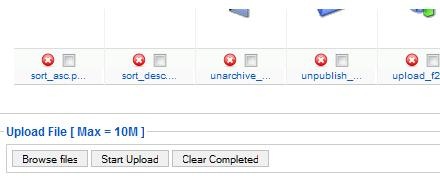
media_manager_problem

If you were facing these problems it is most probably due to the Flash uploader not working properly with Flash version installed on your system.

Solution:

The simplest solution to fix this issue is to go to,

Global Configuration –> Systems –>Media settings.

And select ‘No’ for ‘Enable Flash Uploader’ setting, and save the settings.

mediamanager_config

That’s it, this simple. Now go back to you media manager and upload files to your heart’s content.

Comments

10 responses to “Media Manager Browse Button Disabled In Joomla”

  1. Sam Avatar
    Sam

    Its working for me on the latest 5.14

  2. sasha Avatar
    sasha

    Thank you a million! You saved my day really!

  3. Rick Avatar
    Rick

    It’s working on last version, fine.

    But How disable the “Flash Uploader” in version 1.5.0 of Joomla ?
    The solution you say doesn’t work because… this option doesn’t exist in joomla 1.5.0 !! :'(

    Some php lines to modify ? (I can’t update to recent version…)

  4. Mengele Avatar

    Thank you a million! You saved my time really!

  5. Michael Avatar

    Hi,
    I am hoping someone might be able to help me. I am very new to Joomla, Infact, only a couple of days old. My problem is, I cannot do anything after installing Joomla 1.5.15. As soon as I log in as Administrator, all the taskbar buttons cannot be used. They look disabled but, they’re not. I am using Windows 7, IE 8 and Firefox 3.6. I have reinstalled Joomla at least 3 times but the problem still persist. The same is the case when installed on Windows XP with SP 3. Can someone please tell me what I may be doing wrong.

    Regards

  6. Tongchai Avatar
    Tongchai

    Thanks a lot!
    The Solution you say Work perfect!
    Regards

  7. Alex Avatar

    Thanks! Well described, and worked perfectly.

  8. MAndeep Avatar
    MAndeep

    Thanx Sir/Madam…..Its working

  9. shubhaanshu Avatar
    shubhaanshu

    you are really great…

  10. edison Avatar
    edison

    thankyou so much…