Update: released the version 1.1.0 with updated prettyPhoto and jQuery plugin. Download link below now links to updated version. If you need to download the old version from google code.
Adding image galleries inside your Joomla! pages is now super simple with the “akJoomGallery” Plugin.
You don’t need a specialist knowledge to use this mambot/plugin. akJoomGallery allows you to use images in your content item as image gallery. With it’s help you can convert any content item/page into a cool image gallery.
The idea for this plugin came to my mind when we needed to show a quick image gallery to client, and we need something lightweight, with more control over how the image is shown in the gallery page itself. We could have used other big gallery components but I was not interested in something simple and quick. Check out the implementation of akJoomGallery.

This plugin is best suited to those situations where someone want’s to add few thumbnails while writing the content, and would like to display the large size images when users clicks on them, without leaving the page.
How To Install
- Just download the akJoomGallery plugin.
[download#8#nohits][download#9#nohits]
- In Administration panel of Joomla goto Installers ->Mambots(for Joomla 1.0.x) or to Extensions -> Install/Uninstall(for Joomla 1.5.x) .
- Upload this package file and Install.
- Now go to Mambots -> Site Mambots ->akJoomGallery or Extensions -> Plugin Manager->content – akJoomGallery and publish/enable the plugin based on the version you are using.
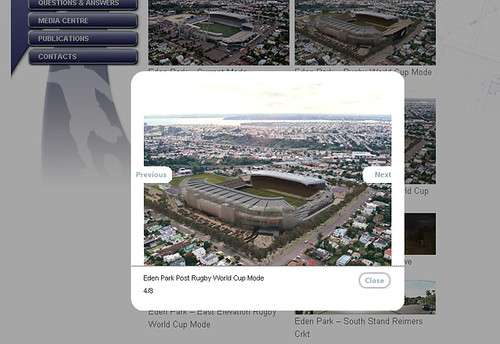
Now, enjoy the simplest image gallery with lightbox effect.