Tag: wordpress

  • Weekend of WordCamp Mumbai 2016

    Weekend of WordCamp Mumbai 2016

    I have attended almost all WordCamps that has happened in India and even organised few WordCamps, and I can say that the recent edition of WordCamp Mumbai was by far the best WordCamp in India. Kudos to organisers for pulling it off.

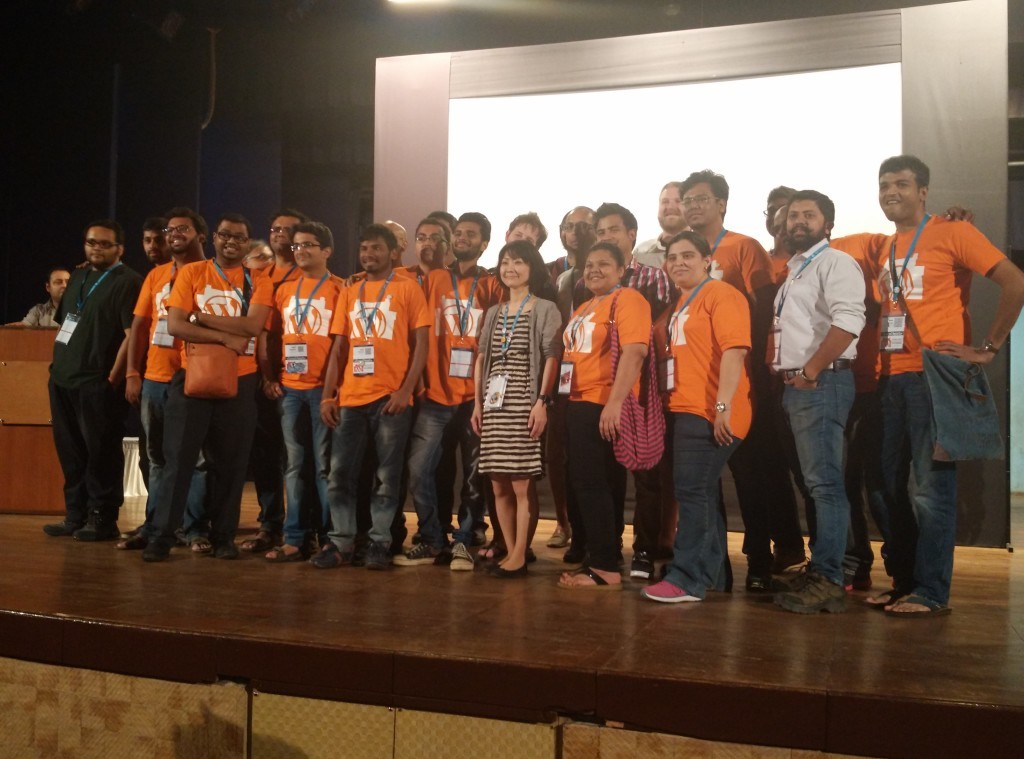
    Organisers and volunteers


    If you did not attended the event, I would recommend you watch videos of following talks when they come out, this list is based on talks that I attended, as I missed out few talks.

    1. What Customers Want by Shilpa Shah
    2. Build and they won’t come by Nirav Mehta
    3. WordPress Accessibility by Ragvendra
    4. Big in Japan by Naoko Takano
    5. The Jugaad Way by Mahangu

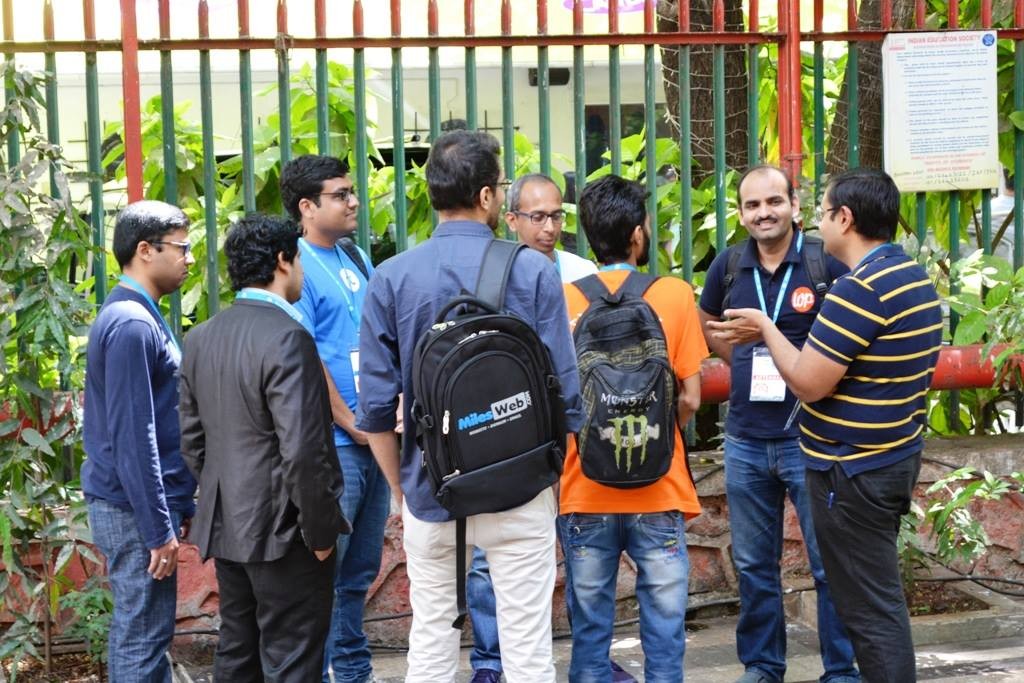
    Apart from attending talks, I also interacted with Rahul Bansal, Karthikraj Magapu, Nirav Mehta, Salim Siddiqui, Ranjeet Walunj & Rohan Thakare for long discussions.

    Rahul Bansal, Amit Kumar Singh, Nirav Mehta and Karthikraj Magapu.
    Photo By Bigul Malayi

    My hour long discussion with Nirav and Karthik changed the direction I was planning to take for Awesome Studio WordPress plugin. Nirav forced me  to think in terms of numbers of copies that I can potentially sell in target market & Karthik told me the importance of marketing which forced me to rethink my marketing strategies. 2.0 release of Awesome studio is going to be based on these feedbacks.

    Sunset at Bandra Fort

    After going to Bandra for last 3 years, finally I got the chance to see sunset at Bandra Fort. For me it was the best WordCamp weekend ever.


  • Why PHP is So Popular on Web?

    If you ever wondered why the hell PHP is so popular on the web when there are better and powerful languages available?

    Well, the answer is very simple, It is only language that allows even musicians to build sites for themselves.

    By the way that is also the reason why WordPress has become the king of CMS and my choice for starting a WordPress development team – WPoets.

  • Aspiring WordPress Developers Read These Articles First

    If you are starting with WordPress Plugin or theme development, or want to know where to start then here is a small list of articles that you should read, some of them should be always open in your browser, and some of them in your RSS reader.


    Documentation and Help

    1) http://codex.wordpress.org/Function_Reference: This article list almost all the core functions that are available for a plugin developer.

    2) http://codex.wordpress.org/Plugin_API/Action_Reference: This article is a complete list of the action hooks available for use in plugin development.

    3) http://codex.wordpress.org/Plugin_API/Filter_Reference: This article is a complete list of the filter hooks available for use in plugin development.

    4) http://codex.wordpress.org/Data_Validation: This article is list all the function are available in WordPress core to help us with data sanitization and validation

    5) http://codex.wordpress.org/Site_Architecture_1.5: This article describes the general site architecture of a WordPress theme to help you understand it.

    6) http://wordpress.stackexchange.com: This is *the* place to ask questions related to WordPress development, and off course give answers as well.

    7) http://iwebask.com/blog/2011/03/16/75rss-feeds-for-web-developers-wordpress-bloggers/: Whole bunch of links that you should follow on your RSS reader, so that you can stay in sync with latest WordPress tips and tricks.

    8) http://www.w3avenue.com/2009/09/28/definitive-list-of-free-wordpress-theme-frameworks/:  This article list whole bunch of theme frameworks that you can use for your themes.


    WordPress Core Community

    1) http://wpdevel.wordpress.com/ : This is the place where people in the core hang out, read it so that you are upto date with latest happenings about WordPress

    2) http://make.wordpress.org/themes/: This is where people who review themes submitted in the wordpress.org theme repository hang out.

    Well these are the links that i have found very useful, and I spend most of my time there. If you have any such useful link please share in the comments below.

    P.S. We are hiring WordPress developers, email me your resumes if you are interested to become part of the team.

    Assemble your website using Awesome Studio Framework. The only WordPress framework build with developers ease in mind
  • Where is MySQL Gone Away?

    Last Sunday I got to work on a very interesting problem in WordPress which I initially thought could be solved in like 5 mins, but alas it took me almost 7 hours before I found and fixed the problem.

    Let me describe the problem, I was running a simple xml parsing script whose task was to parse the xml file and insert the content into WordPress database as a post, everything was working fine except the ‘INSERT’ statement was failing with out any errors. Basically everything would run but nothing would get inserted into database and no errors. We had used the ‘wp_insert_post’ function in  ‘post.php’ file to handle the insertion of post, which was returning ‘0’ instead.

    After lot’s of time spend checking and cross checking the sql statements for error and PHP code logic, i finally found the problem which was a small kinda cryptic error ‘MySQL server has gone away’ for every single query that was getting executed in the script.

    Well, a quick google search took me to MySQL manual page where it list bunch of possibilities on why the error might be coming.

    To me the most logical one were

      1. You tried to run a query after closing the connection to the server. This indicates a logic error in the application that should be corrected.
      2. A client application running on a different host does not have the necessary privileges to connect to the MySQL server from that host.
      3. You have encountered a timeout on the server side and the automatic reconnection in the client is disabled (the reconnect flag in the MYSQL structure is equal to 0).
      4. You can also get these errors if you send a query to the server that is incorrect or too large.
      5. You are using a Windows client and the server had dropped the connection (probably because wait_timeout expired) before the command was issued.

    I investigated each one but it turned out that because a query was taking a bit to long to execute MySQL closed the connection and refused all further request from the client.

    So you might be wondering what was the Solution to this problem.

    Well Rob of Rob’s notebook had the almost perfect solution for it. He created a replacement file for ‘wpdb.php’ which takes care of this problem, yeah it is temporary and you have to remember to replace this file every time you do an WordPress upgrade but it works.

    If you are facing this problem go download it and replace you ‘wpdb’ file and save yourself some time.

    Check out PHPCamp.net a article sharing website relevant to our own PHP community
  • akWpUploader: Alternative WordPress Image Uploader

    For those in hurry, download the latest version of [download#2#nohits] from wordpress plugin page.

    UPDATE (25 August 2009): I have released the version 1.1.0 and made it comaptible with WordPress 2.8.

    UPDATE: I have released 0.7.1 of this plugin, with this i consider it to be good enough for general uses, Please help me test it so that we can together release version 1.0 of this plugin soon.

    I was fed up with the wordpress image uploader’s inability to properly resize the images. I was posting pictures of Rangpanchami in my office blog but image would just not resize properly.

    So i decided to create this akWpUploader: alternative image uploader for wordpress which uses Flickr.com’s web services to attach images on the blog post. Initially i wanted to use rss feed that Flickr provides, but found it very restrictive so i went ahead to use flickr Api, which has been simplified by Dan Coulter who wrote easy to use phpFlickr wrapper class. This plugin is not meant to replace the original uploader but to complement it by providing additional missing functionalities. Their was a need for some such plugin as is evident from following wordpress feature enhancement request Idea:Image Handling.

    How it works?

    All you need to do is type your Flickr user id and it will fetch all the photographs that you have published on the Flickr, you click on the image that you want to insert into the editor, select the option for image size to include in the editor. It will take the title, description form Flickr and attach image from Flickr in the editor. Simple isn’t ? 😉
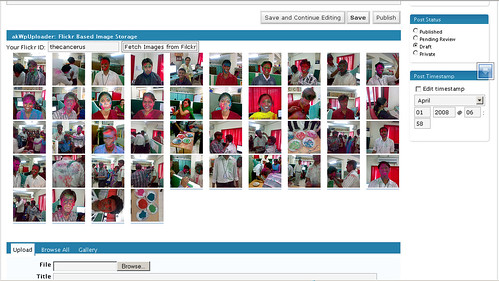
    akWpUploader

    I have cheated here 😉 Cheating, No More 🙂

    Update : their is one more additional step involved now, you first select type the username, akWpuploader will fetch the tags and photo sets that you have created, once you select the option you can get the images from the Flickr.

    How to install

    This is very simple task, just upload the “akwpuploader-alternative-wordpress-image-uploader” folder to “wp-content/plugins/” folder, care must be taken to ensure that folder name is kept as it is.

    Then go to plugins section of the website and activate the plugin and you are done.

    This plugin shows itself when you create new post, just below the editor in wordpress 2.3 and below, It shows itself between Advanced options and categories in wordpress 2.5.

    Limitations

    As it is a Beta release it may have bugs, it still lacks some features and it may crash.

    To Do

    1. To choose the size that we want to display in blog instead of just small thumbnail that is currently being used
    2. Similar to wordpress uploader, ability to choose whether to link or not, and also to take user to wordpress blog page or directly to image.
    3. Ability to select image sets from Flickr.
    4. Ability to select images based on tags.
    5. Pagination.
    6. Ability to clear the images from the selection
    7. Ability to specify your own details like title and description for a photo instead of using the one on Flickr.
    8. Ability to Upload the images to Flickr itself.

    If you have any ideas that you want to see with this plugin please let me know.

    Fixed : Just released a new version to fix the issues mentioned by matthew and kimharding in comments please help me test it further so that i can release a stable version soon.

    Fixed : With release of 0.7.1, i have fixed the issue mentioned by kimchi39 in comments.

    Update(5th July 2008) : Released 1.0.0 a stable version after lot’s of testing.

    Update (25 August 2009): I have released the version 1.1.0 and made it comaptible with WordPress 2.8.