Category: Vrius Removal

  • How To Install Group Policy Editor

    Since I started publishing my manual virus removal series lot’s of people asked me where about Group Policy Editor.

    For example In “How to remove antivirus XP 2008”  MK asked

    when i go to start run gpedit.msc my computer says windows can not find it ???

    So I thought instead of replying to in the comments itself I will post the solution here and refer everyone to this post 🙂

    As I had already mentioned in my first newfolder.exe virus removal article you can download the french version of gpedit.msc from bogdan.org.ua.

    Once you download it you can install it as follows. I am quoting directly from that article itself

    However, here are some short instructions in English for manual MMC snap-in installation (batch file from the archive does everything automatically, but you’ll have to edit-verify the batch file first):

    * put these files: (appmgmts.dll, appmgr.dll, fde.dll, fdeploy.dll, gpedit.msc, gpedit.dll, gptext.dll) into %SystemRoot%system32 folder

    * put these files: (system.adm, inetres.adm, conf.adm) into %SystemRoot%system32GroupPolicyAdm (create if this folder doesn’t exist)

    * finally, run these commands one by one in the CMD window:

    regsvr32 gpedit.dll
    regsvr32 fde.dll
    regsvr32 gptext.dll
    regsvr32 appmgr.dll
    regsvr32 fdeploy.dll

    That should do it.

    You should read the article at Bogdan for more detailed instructions.

    As for french, most of the articles that I have written I have attached the image that shows the exact line that needs to be modified, you can use them as reference.

    I hope this will help you install the gpedit.msc on your system.
  • How to Remove Antivirus XP 2008

    I hate these spywares, they keep finding ways to sneak into my system every now and then.

    Earlier it was “New Folder.exe” and then these other irritating viruses, and now Antivirus XP 2008.

    Thanks god this time my Avast was able to detect the virus and delete it. But the real problem was, the moment this rootkit  virus was detected and deleted, Antivirus XP would again install this rootkit virus.

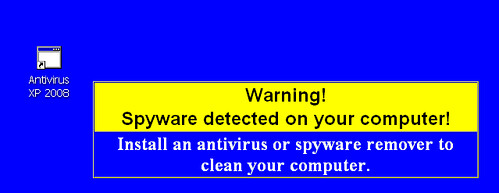
    Antivirus XP 2008 wallpaper

    Initially I thought that a boot time scan would be sufficient to remove this virus from my system, though it does not turned out that effective even though Avast removed more then 240 infected files.

    The reason turned out to be Antivirus XP 2008, it was running at boot time resulting in re-infection.

    So I finally had to get into action, to take back the control of my PC.

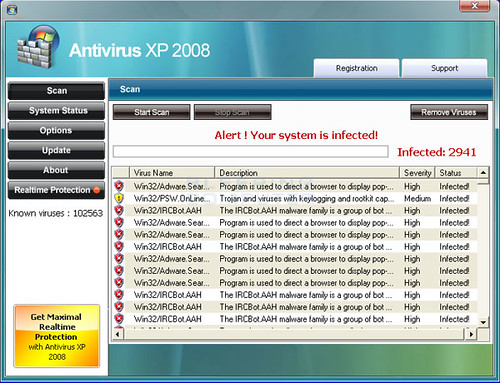
    Antivirus XP 2008 GUI

    Here is step by step account of what I did(remember all this was done immediately after boot-time scan by Avast) to uninstall and remove it from my PC.

    (more…)

  • How to stop regedit, taskmanager or msconfig from closing automatically

    Since i published my “How to remove new folder exe or regsvr exe or autorun inf virus” article many readers have asked me about how to prevent regedit, taskmanger, msconfig etc from closing withing second of it’s opening.

    Now i have to say as i have yet to face this issue personally myself, i am not really able to suggest anything but to recommend people to do a boot time scan from avast, and hope that fixes their problem.

    But after receiving a repeated request to fix this issue, i decided to write about the approach that i would take if i face this problem and to collaborate with you to solve your problem and in the process create a workable solution to fix this problem, once and for all.

    Symptoms of the problem that we are tying to solve,

    1. you open regedit, the regedit window flickers and closes again,
    2. you open taskmanager, window opens and immediately closes.
    3. you try to open msconfig, window closes the moment it opens.

    (more…)

  • How to remove new folder exe or regsvr exe or autorun inf virus

    I want to tell you a story, two days back i got affected by this virus very badly as it eat up all my empty hard disk space of around 700 MB 🙁 .

    I was surprised that my most reliable friend Avast, for the first time failed me in this war against viruses but then again avg and bitdiffender also failed against it. This virus is know popularly as regsvr.exe virus, or as new folder.exe virus and most people identify this one by seeing autorun.inf file on their pen drives, But trend micro identified it as WORM_DELF.FKZ. It is spreading mostly using pen drives as the medium.

    New folder.exe virus

    Well, so here is the story of how i was able to kill the monster and reclaim my hard disk space.

    Manual Process of removal

    (more…)